

An affiliate comparison table is a side-by-side summary of the products in a guide, built so a reader can pick one and click. It concentrates a page's commercial intent into a handful of links, which makes the table the most valuable and the most fragile part of the page: when one of those links points to a discontinued product, a generic merchant homepage, or a tracking path that no longer resolves as intended, the click with the highest purchase intent is the one lost. This guide covers what to put in the table, how to structure and disclose it under US guidance, and how to verify that its links are still Healthy. Our Full Audit classifies each link as Broken, Needs Attention, or Healthy for that second task.
TL;DR
- A table works as a decision summary: three to five products, a plain-language "best for" column, one deciding specification, and one button per row.
- A published split test found that a visual comparison table raised sales per visitor by 35.4% without raising clicks, so the table's value shows up in click quality, not click volume.
- Disclose affiliate compensation near the table and the links, mark links with rel="sponsored", and date any displayed price.
- Table links age: products are discontinued, redirects change, and a link can return 200 OK while sending the reader to a page that no longer sells the product.
- Review table links on a schedule and classify each one before editing anything.
Table of Contents
- What an affiliate comparison table does
- Which products and columns to include
- Structure, placement and design
- Disclosure, links and price display in the US
- Why table links fail without any visible error
- A maintenance routine for table links
- Measuring whether a table works
- Perspective
- See the evidence on your own pages
- FAQ
- Sources
What an affiliate comparison table does
The table's single job is to let a reader who does not want to read the whole guide find the right product and click. AffSERP describes it as a summary of the guide's decisions rather than a specification sheet, and it applies one test to every column: does it help the reader pick, or does it only look thorough?
The measurable effect is on the quality of the click. A Convertica split test on an Amazon affiliate review site replaced a five-item text list with a three-column visual comparison table. Over an 11-week desktop test at 97% confidence, sales per visitor rose 35.4%, although overall clicks did not increase. The case study's explanation is that visitors compared products and chose on the page, so those who reached Amazon were more often ready to buy.
Two consequences follow for a publisher:
- Judging a table on click-through rate alone can hide a winner or a failure. Sales per visitor and earnings per click (EPC) are the more informative measures.
- Because the table pre-qualifies readers, every link in it carries more commercial weight than a link in body copy. A single dead row costs more than a dead sentence-level link.
Which products and columns to include
The published guidance converges on a short, opinionated table instead of a catalog of attributes.
Products and rows
AmaWP's 3×5 rule recommends three products (the pick, the cheaper option, and the upgrade) and five rows: best for, price, the deciding specification, one differentiator, and the button. Content Refined suggests one affiliate link per product and no more than five products. AffiBlocks advises choosing the five to eight attributes a buyer actually weighs, omitting attributes that are identical across products, and ending with a row that states your pick and why.
The best-for column
The first column after the product name should say who the product suits, in plain language such as "Most people" or "Tight budget." AmaWP's author calls it the highest-value cell in the table, with a practical test: a reader should be able to rule out two of three rows without reading anything else.
Facts, observations and judgments
SEO Pandas proposes that each row survive three tests: could it change the buyer's choice, can it be substantiated, and is it current. It also recommends labeling a cell as a manufacturer specification or an editorial assessment, and dating volatile details such as price and stock. The distinction it draws is between a specification table (what fields exist) and a decision table (which differences matter for this buyer).
A reference layout that follows this guidance:
| Product | Best for | Price (dated) | Deciding spec | Differentiator | Button |
|---|---|---|---|---|---|
| Top pick | Most people | $XX, as of date | Key spec | What sets it apart | Check price |
| Budget option | Tight budget | $XX, as of date | Key spec | What it trades away | Check price |
| Upgrade | Heavy daily use | $XX, as of date | Key spec | What it adds | Check price |
Structure, placement and design
AffSERP's October 2026 guide recommends five columns for an Amazon table (image, product name with award, one key spec, best for, and a price-check link), placed under the introduction with the top pick first. Five columns fit a phone screen inside a scrollable wrapper; eight do not.
Other design points from the published guidance:
- Mark exactly one winner visually, with a tinted row, a left border, or an "our pick" label, and keep that row's button the most prominent. AmaWP also recommends button text such as "Check price on Amazon" over "Buy now."
- Keep the table to roughly 5 to 7 columns and 4 to 8 rows, with a call to action per row in the rightmost column, per AutomateToProfit.
- Put a "Recommended" or "Best for" badge on the most commercially relevant option rather than the most expensive one.
- Use the same attributes for every product, and mark unknown values as not stated by the manufacturer, per the Affiliate Marketing for Success checklist.
Readers also respond to restraint in the recommendation. Affiliate School argues that the strongest comparison posts name the right product for each reader segment even when it is not the highest-commission one, because long-term earnings depend on credibility.
Disclosure, links and price display in the US
The table is where readers click, so it is also where compliance is most visible.
Disclosure. The FTC expects clear and conspicuous disclosure that you may be compensated for promoting third-party products. The eBay Partner Network's disclosure FAQ recommends placing the statement in close proximity to the affiliate link. SEOPlugin.ai's compliance guide summarizes the practice as a disclosure at the top of the content area before the first affiliate link, repeated in short form in every buy box and comparison table, and cites 16 CFR Part 255, section 255.5(a), on connections that may affect an endorsement's credibility. For a step-by-step check of this layer, see our FTC affiliate disclosure audit.
Link attributes. The same SEOPlugin.ai guide advises that affiliate links carry rel="sponsored". Common implementation errors are covered in our note on rel="sponsored" mistakes.
Price display. Per Amazon's rules as summarized by AffSERP, a displayed price must either come from the API and refresh at least hourly, or carry a date-time stamp with a disclaimer that it is accurate as of the stated time and subject to change. A price typed by hand as "$49.99" meets neither condition.
Link transparency. Amazon's policies, as summarized by Progression Agency, forbid cloaking, hiding, or spoofing the URL of a site containing special links, and forbid shortening tools used in a way that hides that the destination is Amazon. When a table uses shortened links, reading the trust report for amzn.to shows how a short domain is evaluated for transparency signals. Our own treatment of the topic is in shortened affiliate links and cloaked affiliate links.

Why table links fail without any visible error
A table is built once and read for years. Meanwhile the merchant side changes: a product is discontinued, a listing goes unavailable, a program is restructured, or a tracking path is retired. A conventional link checker reports 404 and 5xx responses. It does not report the more common commercial failure, a link that returns 200 OK and still does not serve the reader.
Three patterns recur in table links:
- Unavailable product. The page loads, but the product is out of stock, discontinued, or replaced by a successor with different specifications than the table's row claims.
- Redirect to a generic page. The link resolves to a merchant homepage or category page, so the reader who clicked "Check price" on a specific model lands somewhere unrelated. The reasoning is laid out in why 200 OK does not mean an affiliate link is healthy.
- Unverifiable tracking path. The tracking parameters or redirect chain have changed in a way that cannot be confirmed from outside, so the link may no longer be attributed to the publisher's account.
These are the table's weakest points for a structural reason: the table's own design pushes readers toward the same few merchant pages. A stale row also contradicts the table's price and specification cells, which weakens the credibility the table was built to create. The Affiliate Marketing for Success checklist places refreshing discontinued products, old prices, and broken links ahead of other content upgrades for this reason. Older Amazon-heavy pages are the usual place to start, and this note on outdated Amazon links explains how to rank pages by priority.
A maintenance routine for table links
A reviewable routine has four parts: an inventory, a destination check, a classification, and a schedule.

1. Inventory every table link
List each monetized anchor on every table: page URL, product, anchor text, the link as written (including any cloaked or shortened layer), the final destination, the HTTP result, the program or network, and the date last checked. Tables are often duplicated across posts through templates or shortcodes, so inventory by page rather than by table.
2. Check the final destination, not only the status code
For each link, load the destination as a reader would and compare it with the row. Does the page show the named product? Is it purchasable? Does the price match the dated price in the table? Does the link still pass through the expected tracking path? This is the step automated checkers skip, and it is where our semi-automated and manual audits operate.
3. Classify before editing
Use three classes so that effort goes to the right place:
| Class | Meaning | Typical action for the publisher |
|---|---|---|
| Broken | Confirmed failure: dead URL, error response, or a confirmed unavailable or discontinued product | Replace or remove the row |
| Needs Attention | Loads, but shows a commercial warning sign such as a generic homepage redirect or an unverifiable tracking path | Review manually and decide |
| Healthy | Loads, shows the expected product, and shows no warning signs in the checks performed | Leave in place; recheck on schedule |
The classification identifies evidence. The decision to replace a product, swap a merchant, or retire a row remains with the publisher. Our guidance on links that stop earning describes how to test, classify, and prioritize.
4. Set a review cadence
Monthly reviews are a common pattern: Guid.live's workflow guide recommends starting each month with broken links, unavailable products, redirected pages, and outdated claims, then looking at clicks, conversions, and earnings, with a quarterly pass over disclosures, commission terms, attribution windows, and payout rules. Pages that carry a comparison table, drive paid traffic, or rank among the top traffic pages merit the shortest interval.
Measuring whether a table works
Track clicks, net sales, net commissions after validations, reversals, adjustments, and fees, plus EPC and conversion rate. impact.com's network report documentation lists these as the core partner metrics and notes that EPC over time supports comparison across campaigns or content.
For tables, the useful comparison is per page and per row. A page whose clicks hold steady while EPC falls points to something after the click: an unavailable product, a redirect change, or a tracking issue. Event-level click data helps locate the row; a landing page analytics guide covers the measurement concepts, and our GA4 and GTM setup note covers tagging table buttons so link health can be read alongside engagement. Where a table converts poorly despite good placement, failures after the click are the first place to look.
Perspective
Most of the tables we review were well designed on the day they were published. The common problem is age, not design: a row that was accurate at publication now points to a listing that has changed.
A table is a concentrated placement. It collects the readers who have already compared and chosen, then hands each of them one link. If that link returns a normal 200 OK but lands on a generic homepage or an unavailable product, a conventional checker records a pass while the reader meets a dead end.
For that reason, we treat the destination as the unit of review. Each link is classified as Broken, Needs Attention, or Healthy, with the evidence attached, and the findings are split between clear fixes and items that need a manual decision. We identify; we do not repair. The publisher decides which rows to replace, which to keep, and in what order.
We also do not claim to verify commission crediting or to quantify lost income. What an audit provides is a prioritized list of commercially unhealthy links and the evidence behind each, which replaces guesswork about where to start.
Michael N.
See the evidence on your own pages
If your site carries comparison tables on older posts, the Full Audit is a one-off review priced at $97. It detects broken, outdated, and non-earning affiliate links, evaluates whether links that still load remain commercially viable, and returns a prioritized action plan with suggested replacements that separates clear fixes from review-needed items.
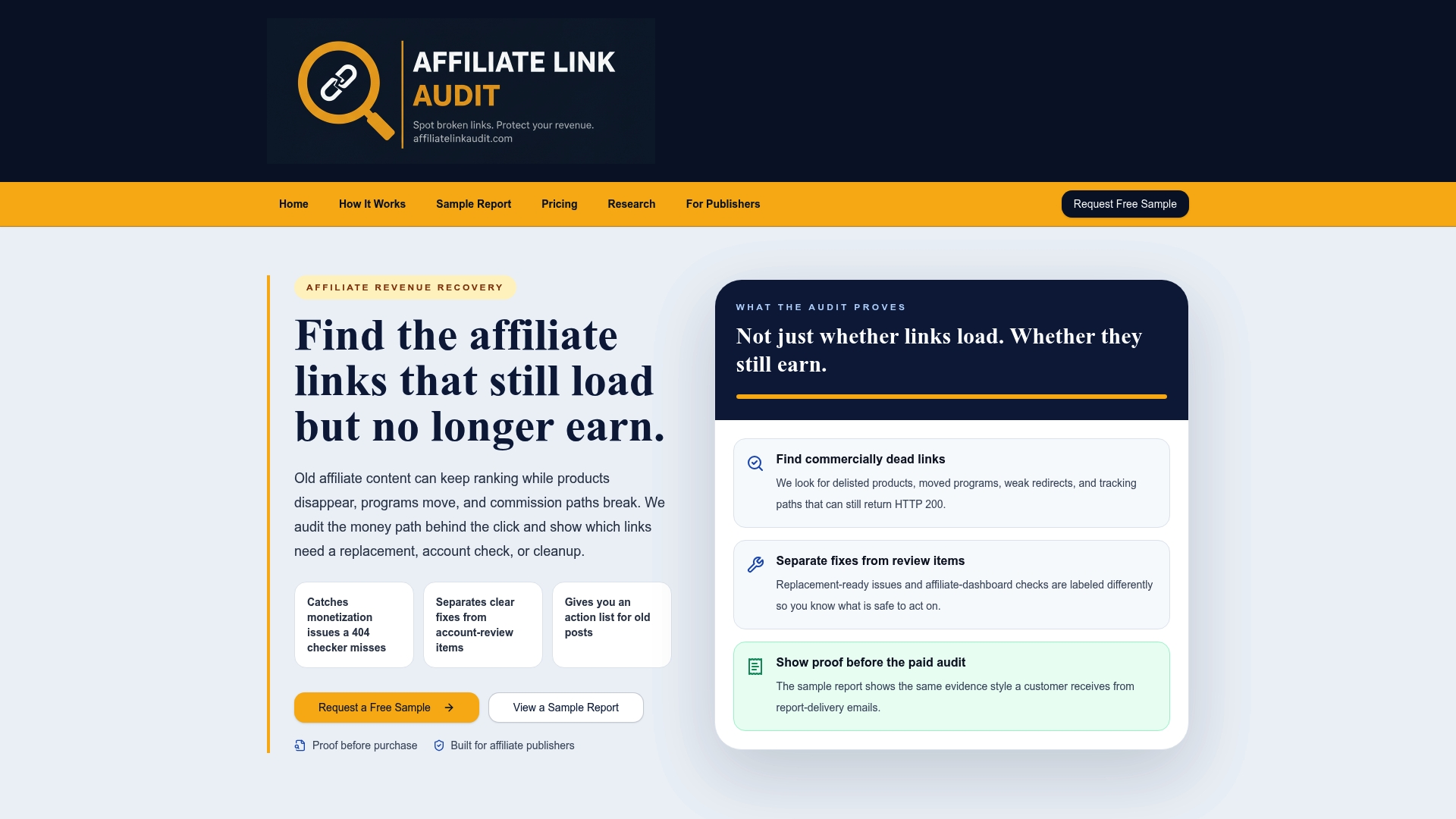
Every audit starts with a free sample ($0), so the evidence is visible before you purchase the full audit. You can also read the sample audit report first, or see the audit service for publishers.
FAQ
How many products should an affiliate comparison table include?
Three to five is the range the published guidance supports. AmaWP's 3×5 rule uses three products, and Content Refined suggests no more than five, each with one affiliate link. A short table keeps the choice clear and limits how many links need maintenance.
Does a comparison table need an affiliate disclosure of its own?
Yes, in practice. The recommended pattern is a full disclosure near the top of the page before the first affiliate link, plus a short repeat in or next to the table, since the table holds the links readers click. Wording and placement should follow current FTC guidance.
How often should table links be rechecked?
Monthly is a common baseline, with a quarterly review of disclosures and commission terms. Pages with paid traffic, high organic traffic, or seasonal offers warrant shorter intervals, as do tables listing products with frequent model changes.
A link returns 200 OK. Is it fine?
Not necessarily. A 200 status only shows that some page loaded. The link can still redirect to a generic homepage, show an unavailable product, or follow a tracking path that cannot be verified. Those cases are classed as Needs Attention or Broken depending on the evidence.
Sources
- Amazon Affiliate Comparison Tables: What Converts
- Comparison Table Case Study: 35.4% More Sales per Visitor
- How to Write the Best Product Review for an Affiliate Site
- Affiliate Comparison Tables That Convert: The 3×5 Rule
- Comparison Tables on Ecommerce Sites
- How to Make a Product Comparison Table in WordPress
- CRO for Landing Pages: 12 Tweaks That Lift Clicks
- How to Improve Affiliate Content: 9-Point Upgrade Checklist
- Affiliate Comparison Posts: How to Write X vs Y Content
- Affiliate disclosure FAQ, eBay Partner Network
- Affiliate disclosure rules: FTC, ASA and Google (2026)
- Affiliate Website Design: How to Build an Affiliate Website
- Creator Affiliate Marketing Workflow Guide
- Overview by Network Report, impact.com
- Trust report for amzn.to
- Landing page analytics guide
Recommended
- Affiliate Links That Stop Earning: Test, Classify, Prioritize
- Affiliate Link Rot: 200 OK Can Hide Revenue Risk for Publishers
- Affiliate Link Action Plan: A Template for Publishers
- Stop Losing Commissions: Evidence First Affiliate Link Testing for Publishers
This article was produced with AI assistance and reviewed for accuracy. Findings language ("Broken," "Needs Attention," "Healthy") reflects Affiliate Link Audit's evidence-based classification system.