
An out of stock affiliate link is a monetized anchor that still loads, still receives traffic, and sends the visitor to a product page that cannot be bought. The page returns a normal 200 OK, so a standard link checker reports it as fine. The correct handling depends on one distinction: a temporary restock gap (Needs Attention) versus a permanently discontinued or removed product (Broken). Our Free Sample report, available at no cost before the $97 Full Audit, classifies each link in your content as Broken, Needs Attention or Healthy, with the evidence behind each label, so the decision of what to fix stays with the publisher.
TL;DR
- A link to an unavailable product usually returns 200 OK, so status-code checkers miss it. The product page, the redirect path and the tracking parameters have to be read, not just the response code.
- Separate temporary stock gaps from permanent removals before changing anything. Replace only what has gone for good; monitor the rest.
- Choose replacements by category, use case and price band, and update the surrounding copy (comparison tables, calls to action, images), not only the URL.
- On TikTok Shop, creators cannot edit the product link in a published video, so the options are limited to what the platform allows at the time.
- Prioritize by traffic: the pages that still attract visitors but lead to dead ends cost the most clicks.
Table of Contents
- Why out of stock links go unnoticed
- Temporary stock gap or permanent removal
- How to find out of stock links in older content
- Decide the fix: same product, alternative, category page or removal
- Amazon links: program rules worth knowing
- Out of stock links in creator videos and TikTok Shop
- How often to re-check
- Our perspective
- Get the evidence for your own content
- FAQ
- Sources
Why out of stock links go unnoticed
A conventional link checker asks one question: does the URL respond? A product page for a discontinued item often responds perfectly. It may display "currently unavailable," show a list of unrelated products, or redirect the visitor to a generic homepage. In each case the HTTP status is 200 and the link is reported as healthy.
The visitor, however, arrives with purchase intent and finds nothing to buy. The publisher's click report records a successful click. The only signal is a gradual decline in conversions on pages that otherwise hold their traffic, which is easy to attribute to seasonality or ranking changes.
Older content is the most exposed. A review or roundup published two or three years ago may link to a dozen products, and a share of those will have been replaced by new models, merged into other listings or withdrawn by the merchant. Our guide on why 200 OK does not mean an affiliate link is healthy sets out the failure patterns in detail.
Two scope notes apply. Whether a given click earned a commission is determined by the merchant or network, not by a page scan, so the evidence here describes the commercial condition of the link (availability, destination, tracking path) and not credited revenue. And the techniques below apply to links on a site you control; platform-hosted links, such as those in short-form video, have their own constraints, covered later.

Temporary stock gap or permanent removal
The first decision is classification. An item that is out of stock for a week and an item that has been discontinued call for different responses, and treating them the same wastes effort in both directions: replacing a link that would have recovered, or leaving a dead one in place for months.
| Observation | Likely condition | Classification | Typical handling |
|---|---|---|---|
| Product page loads, "unavailable" shown, returns within days on repeat checks | Restock gap | Needs Attention | Re-check on a schedule; keep link; consider a note in the copy |
| Product page loads, unavailable on repeated checks over several weeks | Possible discontinuation | Needs Attention | Manual review; prepare a replacement |
| Page not found, or product identifier no longer resolves | Removed listing | Broken | Replace or remove |
| Redirect to a generic homepage or search page | Product withdrawn, destination reassigned | Broken | Replace or remove |
| Product page loads, in stock, tracking parameters intact | No issue detected | Healthy | No action |
The thresholds (days or weeks) are a publishing decision, not a standard. What matters is that the same rule is applied to every link and that each finding records the date it was observed. A single observation of "unavailable" is weak evidence; the same status on consecutive checks is stronger.
Why repeated checks matter
Availability status on large retail platforms can reflect something narrower than the item being gone. On Amazon, for instance, the product-level offer can disappear while the listing itself persists, and variants of a single product can be retired individually. A one-time check therefore produces false positives. For that reason our classification keeps a separate Needs Attention label for items where the evidence is not conclusive, instead of forcing every unavailable product into Broken.
How to find out of stock links in older content
The process below applies to a blog, review site or resource hub with affiliate links spread across many posts.
- Build an inventory. Export every outbound affiliate link with its source page, anchor text and the program it belongs to. Without the source page and anchor, a finding cannot be turned into an edit.
- Rank pages by traffic. Use your analytics to sort the pages by recent sessions. A dead link on a page with 5,000 monthly visits matters more than twenty on pages with none. Our guide on starting with the top 10 pages when auditing outdated Amazon links describes this prioritization.
- Resolve each link to its final destination. Follow the redirect chain to the end. Record the final URL, the final status and whether the destination is still a product page or has become a homepage, category page or search result.
- Read the destination. Check for availability text, a visible price and a purchase option. Where the merchant or network offers a product feed or API, availability can be read programmatically; otherwise it is a manual check.
- Confirm the tracking path. Verify that the identifier that attributes the click to you survives the redirects. Our article on finding and classifying missing affiliate IDs covers five tests for this.
- Classify and date each finding as Broken, Needs Attention or Healthy, and keep the evidence (final URL, screenshot or text snippet, date).
The step that most often goes wrong is step 3 to 4: a link that redirects cleanly to a live page is assumed to be sound without reading what the page says. This is the gap a manual or semi-automated audit closes, and it is the step that becomes impractical by hand beyond a few hundred links.
Verifying that the link still tracks
Availability is one half of link health. The other is whether the click is still attributable to you. Network documentation describes the basic checks. Rakuten Advertising's publisher help center tells publishers to confirm that the 11-character ID following id= is present in the link code and that clicking opens the correct landing page. The same page explains that order tracking is tested through an order placed from the link, then checked in the Individual Item Report, and that server-to-server or batch tracking can delay reporting.
Travel programs follow a similar pattern. Expedia Group's creator help center says a tracked link can be pasted into a browser and the click confirmed under Performance > Clicks, with dashboard data taking 4 to 6 hours to refresh. Both illustrate a general point: a dashboard confirms that a click was registered, and the network's own reporting determines what happens afterward. An audit of link health can show that a tracking path appears intact or appears to be missing; it does not confirm that a commission was credited.
For a structured approach to validating link tags and destinations across a program, the affiliate program audit checks published by Enclaverse give a useful sequence for confirming that links are valid, correctly tagged and still pointing at the intended product page.
Decide the fix: same product, alternative, category page or removal
Once a link is classified, the remedy follows from the product's status and the role the link plays on the page.
Same product, different merchant
If the product is still sold elsewhere and you hold an active relationship with that merchant or its network, relinking to the same product is the least disruptive change. The copy remains accurate and the reader receives the item you reviewed. Confirm the new merchant's price, availability and program terms first. Our article on auditing affiliate program terms with five link tests explains what to check.
In-stock alternative
When the product has been discontinued, the replacement should match the original on three attributes: category, use case and approximate price band. A budget blender replaced by a premium blender changes the recommendation; a different budget blender preserves it. Then edit what surrounds the link:
- the product name and image
- comparison-table rows and specifications
- any sentence that describes a feature the new product may not share
- the call to action and any price reference
Swapping the URL alone leaves a page that describes one product and sells another, which weakens trust and may create accuracy problems. Where your catalog sits on a platform with its own search and merchandising tools, material such as how to handle out of stock products in store search illustrates how replacement picks can be surfaced and updated systematically.
Category page
Where no single successor exists, pointing to a relevant category or collection page on the merchant's site keeps the visitor in a shopping context. This is acceptable when the category matches the original intent. A redirect to an unrelated homepage is not a repair; it is the same failure the audit classifies as Broken.
Removal
If the product is gone, no suitable alternative exists and the surrounding paragraph depends on it, remove the link and edit the text so that it does not recommend something unavailable. For an entire post that no longer serves a purchasing purpose, consolidating or redirecting it to a current, relevant page on your own site is a content decision beyond link repair.
| Situation | Preferred action |
|---|---|
| Product available at another merchant you work with | Relink to same product |
| Product discontinued, close successor exists | Replace; update copy and tables |
| Product discontinued, no successor, category intent intact | Link to relevant category page |
| Product discontinued, role in the post is lost | Remove link and revise text |
| Unavailable, evidence inconclusive | Needs Attention: re-check, then decide |
Amazon links: program rules worth knowing
Amazon links are the most common source of unavailable-product findings because of catalog volume and turnover. Two program details bear on how you handle them. The Amazon Associates Operating Agreement changes effective April 14, 2026 added a 180-day limit within which products must be shipped, streamed or downloaded and paid for by the customer to qualify for commission, and limited onsite commission calculation to purchases of the same ASIN variant as the linked product detail page. The second point matters for variants: a link to a retired variant is a weaker asset than the same link to a variant that is still sold, which is one reason variant-level checks belong in an Amazon audit.
Out of stock links in creator videos and TikTok Shop
The top-ranking pages for this keyword concern TikTok Shop, so the platform's constraint deserves a direct statement. TikTok Shop's Link Products tool documentation states that creators cannot edit or update existing product links to replace the linked products in a published video, and that a feature to relink products when they go out of stock was being tested and was not available to all creators. A related feature may reach your account at a different time than another creator's, so the platform's own help pages carry the current position.
In practice this means that, for a published video, the available actions are generally removal of the linked item or a new post, and the steps in the app can change with updates. For new videos, the lesson is to favor products with stable supply, and to log each linked item so that unavailable ones can be found without scrolling through the full catalog of posts. Publishers who maintain both a site and social video content gain an advantage: the site's links can be repaired at the source, which a published video cannot.

How often to re-check
The right cadence follows page value and product volatility. Consumer electronics, seasonal goods and fast-moving apparel change status often; evergreen categories change less. A reasonable structure is:
- Top-traffic pages: monthly
- Mid-traffic pages: quarterly
- Remaining archive: once or twice a year, or after any major platform or program change
Keep a dated log of findings so that a link showing a short outage is distinguished from one that has been unavailable across several checks. For the analytics side of this routine, see the guide on GA4, GTM and link health setup, and for the broader pattern of links that lose their value over time, affiliate links that stop earning. When an entire program has closed rather than a single product, the approach in replacing dead affiliate programs applies.
Our perspective
Most of the out of stock links we see described in publisher discussions share one property: nothing flags them. The URL resolves, the page renders, and the report shows a healthy 200. That is why our audit reads the destination and the tracking path as well as the response code, and why every finding is assigned one of three labels: Broken, Needs Attention or Healthy.
The middle label is deliberate. A product that is temporarily unavailable and a product that has been withdrawn look alike on a single visit, and a tool that collapses them gives the publisher either false alarms or false confidence. We separate confirmed Broken items from those that need review, and we provide the evidence for each, so that the decision about what to change remains yours.
We identify; we do not repair. The report is a prioritized action plan with suggested replacements, built to replace guesswork about which pages to open first. It does not verify commission crediting or quantify lost income, and it does not claim to.
Michael N.
Get the evidence for your own content
Affiliate Link Audit offers manual and semi-automated audits that detect Broken, Needs Attention and Healthy affiliate links, evaluate whether links that still load remain commercially viable, and return a prioritized action plan with suggested replacements, separating clear fixes from items that need manual review. Every audit starts with a free sample report, so the evidence is visible before any purchase. The Full Audit is $97, one-off.
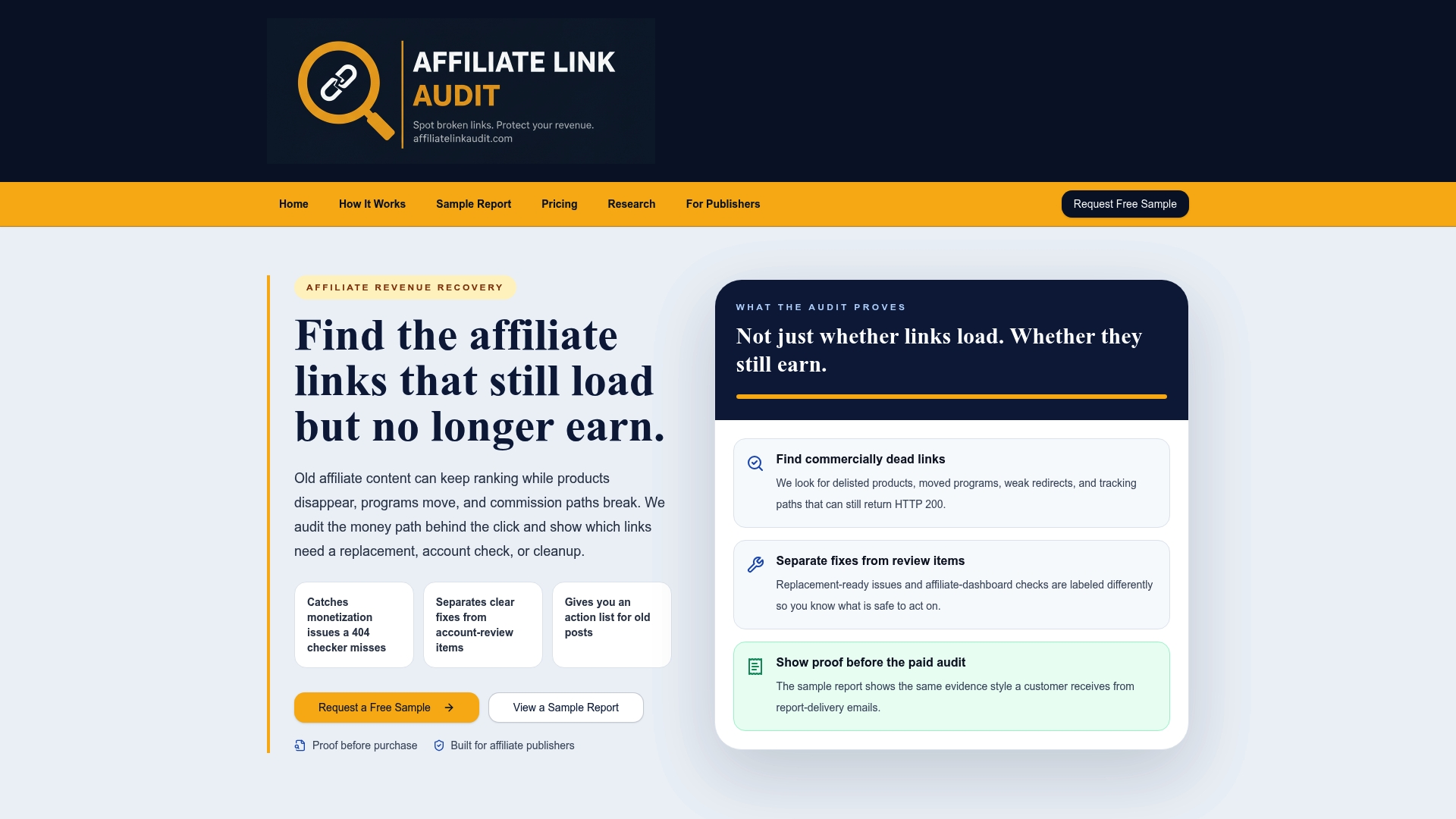
See what a finished report contains in the sample affiliate revenue audit report, or review the Full Audit options for publishers. Our overview for publishers explains how the process applies to content sites with large archives.
FAQ
Does a 200 OK response mean my affiliate link still works?
No. A 200 OK means the server returned a page, not that the page offers a product for sale. A discontinued item can show an unavailable notice, a list of unrelated products or a generic homepage and still return 200. An audit has to read the destination and the tracking path.
Should I replace a link as soon as the product shows out of stock?
Not necessarily. A product out of stock for a few days often returns, and replacing it prematurely changes a recommendation that was still valid. Re-check on a schedule and replace the link once the status persists across several checks or the listing no longer resolves.
Can I change the product link on a published TikTok Shop video?
TikTok Shop's documentation states that creators cannot edit existing product links to swap the linked product in a published video, and that a relink feature was being tested for a limited set of creators. Check your account's current options in the app, and remove or replace links in new posts.
What should replace a discontinued product?
Choose an in-stock item in the same category, with the same use case and a similar price band, then update the product name, image, comparison table and surrounding copy. If no close match exists, link to a relevant category page or remove the link.
Sources
- Test Affiliate Links, Rakuten Advertising Publisher Help Center
- How do I test my Affiliate Links?, Expedia Group Creator Help Center
- Updates to the Associates Program Operating Agreement, Amazon Associates Central
- Link Products Tool, TikTok Shop Seller University
- Affiliate Program Audit: 12 Checks for a Dormant SaaS Program, Enclaverse
- Fix Out of Stock Search on Shopify With Settings and Flow, Indexa Pulse
Recommended
- Affiliate Links That Stop Earning: Test, Classify, Prioritize
- Affiliate Link Rot: 200 OK Can Hide Revenue Risk for Publishers
- Affiliate Program Closed: What Publishers Should Do Next
- Publishers, Affiliate Links That Convert Poorly Fail After the Click
This article was produced with AI assistance and reviewed for accuracy. Findings language ("Broken," "Needs Attention," "Healthy") reflects Affiliate Link Audit's evidence-based classification system.