

An affiliate link inventory is a single record of every affiliate link on a site: where it points, which merchant and network it belongs to, which page carries it, what its anchor text says, and when it was last checked. A publisher with such a record can answer which links exist, which are healthy and which need work. A publisher without one is working from raw URLs scattered across hundreds of posts. This guide covers the fields to record, a naming convention, anchor text and placement rules, a status vocabulary, and a maintenance schedule.
TL;DR
- An inventory stores each affiliate link once, as a managed asset, in a spreadsheet, database or exportable plugin, instead of leaving raw URLs pasted across posts.
- Record at minimum the standardized link name, destination URL, redirect URL, merchant, network, commission type, content category, notes and date last checked.
- Separate offer identity (the merchant and product) from placement identity (the page, position and campaign) so each click can be traced to a specific location.
- Use a controlled status vocabulary, a fixed SubID naming pattern and a recurring schedule: key links monthly, the full inventory quarterly.
- A link that loads is not necessarily a link in working order. Record the commercial state of the destination, not only the HTTP status code.
Table of Contents
- What an affiliate link inventory is, and why a site needs one
- What to record for each link
- How to build the first version
- Naming conventions for links and tracking IDs
- Anchor text and placement
- A status vocabulary for the inventory
- Governance: who changes the inventory and when
- Maintenance schedule
- Which links to review first
- How an audit complements the inventory
- Starting today: a one-hour version
- FAQ
- Sources
What an affiliate link inventory is, and why a site needs one
An affiliate link inventory is a central register of every affiliate link a site publishes. Guidance on affiliate link management describes it as a spreadsheet, database or exportable WordPress plugin in which each link is stored once and managed as an asset, rather than being pasted as a raw URL into each article.
The case for building one rests on how affiliate links degrade. Merchants retire products, restructure their sites, change tracking domains and close programs. Older content keeps attracting search traffic while the links inside it drift out of date. A trade article on link rot reported that, each month in the U.S., the largest content publishers generate more than 25 million unique affiliate clicks, with a potential 2.5 million going to dead links, wrong pages or out-of-stock products. The same piece found that the most common problem, at 27%, is a page that cannot be found, often because links have not kept pace with changes to advertiser sites. These figures date from 2019 and describe large publishers, so they indicate the type of problem rather than the rate on any individual site.
An inventory does not repair anything by itself. It makes the problem visible and sortable. Once every link sits in one table with a page, a merchant and a last-checked date, the questions that matter become filters: which links on the ten highest-traffic pages have not been checked in 90 days, which merchants appear on the most pages, which links share a network that has changed its terms.

What to record for each link
The minimum useful record follows the field set recommended in the affiliate link management guidance: standardized link name, destination URL, clean redirect URL if one is used, merchant, network or platform, commission type, content category, notes, and date last checked. Clicks are tracked by link or by page, and by sub-ID where the program allows it.
In practice, the following columns cover most publisher sites.
| Field | What it holds | Why it matters |
|---|---|---|
| Link ID | A unique, standardized name | Lets one link be referenced from many pages without ambiguity |
| Destination URL | The full merchant or network URL | The reference point for every later check |
| Redirect URL | The clean or cloaked URL, if used | Identifies which public URL maps to which destination |
| Merchant | The brand being promoted | Groups links affected by a single program change |
| Network or platform | Where the program is administered | Shows exposure to a network-level change |
| Commission type | CPA, CPS, recurring, CPC and similar | Helps rank the links by revenue relevance |
| Content category | Review, roundup, tutorial, comparison | Shows which content types depend on which programs |
| Pages used | Every URL carrying the link | Scopes the work when one link changes |
| Status | One value from the controlled list | Drives the work queue |
| Notes | Observed behavior, replacement candidates | Preserves context between reviews |
| Date last checked | Date of the most recent review | Exposes links that have gone unreviewed |
Two additions are worth making beyond the minimum. The first is a column for the program's terms, such as cookie window and restrictions on link placement, because a link can load correctly and still sit outside the terms of the program. The second is a column for the evidence behind the status: the date, the observed final destination and a short description of what was seen. A status without evidence cannot be reviewed by anyone else.
Separate the offer from the placement
A single merchant offer often appears on dozens of pages, and the record should reflect that. Shopify's partner documentation describes campaign links built from campaign, content, source, medium and Sub ID parameters: campaign groups links, source identifies where the link was posted, medium identifies the channel type, content labels the creative or use case, and SubIDs can carry attributes such as placement.
That model carries over to a publisher inventory. Treat the offer (merchant, product, destination) as one record and each appearance of that offer (page, position, anchor text, tracking value) as a child record. When the same product is linked from a review, a roundup and a newsletter, three placements point to one offer. If the offer is retired, the inventory lists every placement affected. If one placement outperforms the others, the tracking values show it.
How to build the first version
A first inventory does not require specialized software. The sequence below suits a site of any size, and the effort scales with the number of pages rather than the method.
- Crawl the site for outbound links. A site crawler configured to extract external links will list every outbound URL with the page that carries it. Export the result.
- Filter to affiliate links. Identify them by network domains, tracking parameters, cloaking paths (for example a
/go/or/recommends/prefix) and merchant domains known to be in your programs. - Resolve the redirects. For every cloaked or shortened URL, record the final destination. A cloaked path that resolves to a generic merchant homepage is a different finding from one that resolves to the product.
- Deduplicate. Collapse repeated URLs into one offer record with multiple placements.
- Add business fields. Merchant, network, commission type and category are rarely discoverable by crawl and are entered by hand or looked up from the program dashboard.
- Assign the first status. Use the controlled vocabulary described below, and mark anything unchecked as unreviewed rather than assuming it is healthy.
- Sort by exposure. Order by page traffic and by the number of placements, so that the first review pass covers the links that carry the most clicks.
Sites that have used several plugins over the years frequently find the same merchant linked in three or four different formats. The deduplication step is where most of the clean-up value appears.
Naming conventions for links and tracking IDs
A naming convention is the part of an inventory that decays fastest, because it depends on every contributor following it. The pattern should be short, fixed and readable in a report without a lookup table.
For tracking values, a published guide on affiliate link management describes the industry-standard SubID format as four dimensions separated by underscores: brand, publisher, campaign and creative. It also recommends a consistent SubID naming convention as part of ongoing governance.
For a single-publisher site, the same logic can be adapted so that each dimension answers a question the inventory will be asked later:
- Merchant: which brand the click is for.
- Site or property: relevant when one team runs several domains.
- Page or campaign: the article, roundup or email send that carried the link.
- Placement: the position, such as intro, comparison table, inline or button.
A value such as merchant_site_pageslug_table can be read at a glance and sorted alphabetically. The rules that keep it usable are simple:
- Lowercase only, with underscores between dimensions and hyphens within a slug.
- No spaces, no special characters, no dates embedded in names unless the date is the point.
- One abbreviation list, kept in the inventory itself, so that the same merchant is never abbreviated two ways.
- A rule on changes: when a page slug changes, the tracking value is either retained and noted or replaced with a logged mapping.
Program limits apply. Some programs restrict the number of tracking parameters, their length or their character set, so confirm the permitted format in the program's documentation before standardizing on a pattern.
Anchor text and placement
Anchor text and position are inventory fields because they are the two variables a publisher controls after the link is created. They determine whether a reader understands what the link does, and they determine whether the site's disclosure obligations are met.
Writing anchor text
Effective affiliate anchor text names the destination or the action, in the words the reader would use. A product name, a product category with a qualifier, or a specific action such as "see the current plan pricing" all tell the reader where the click leads. Generic anchors such as "click here" or "buy now" carry no information, and they make an inventory harder to read, since the anchor cannot be matched to an offer without opening the link.
Recording the anchor text in the inventory has a practical use. When a merchant discontinues a product, the anchor often still names it, and the surrounding sentence may still recommend it. A column of anchors makes the sentences that need editorial review easy to find, which a status code never will.
Where to place affiliate links
Placement follows the reader's decision path. Links belong where the reader is evaluating the product: in the recommendation itself, in a comparison table beside the relevant row, and in a closing summary for readers who have decided. Recording the position of each link (intro, table, inline, closing) allows later comparison of click patterns by position, using the placement dimension of the tracking value.
Disclosure placement
Placement is also a legal matter in the United States. The FTC's guidance states that material connections must be clearly and conspicuously disclosed unless they are already clear from the context, and that disclosures should be easily noticeable and understandable without readers having to look for them. The agency's Disclosures 101 for Social Media Influencers brochure explains how to make a good disclosure of a relationship to a brand.
On content sites, commentary on the FTC's approach holds that a footer or distant sidebar is generally insufficient when affiliate links appear in the body, and a disclosure near the relevant link is preferable. The underlying rationale is that a reader should see the disclosure before evaluating the recommendation or clicking. A "disclosure present" column in the inventory, set per page, makes this checkable. For a step-by-step method, see the six-step FTC affiliate disclosure audit. Questions about how the rules apply to a specific site belong with an attorney experienced in advertising law.
A status vocabulary for the inventory
Free-text statuses cannot be filtered. A small controlled list can. One published maintenance system suggests statuses such as proposed, approved, paused, update required, retired and blocked, and advises keeping retired records rather than deleting them at once, because the history explains replacements and helps locate old placements that reappear.
That workflow vocabulary describes the editorial state of a link. A second field is useful for its observed condition. Affiliate Link Audit classifies findings with three terms:
- Broken: the link fails outright or is confirmed to lead to a dead end, such as a missing page, an unavailable product or a redirect to a generic homepage.
- Needs Attention: the link loads, but something about the destination, redirect path or tracking path calls for manual review before a decision.
- Healthy: the link loads, resolves to the expected merchant and a relevant offer, and shows no indicator of concern at the time of review.
Keeping the two fields separate prevents confusion. A link can be "approved" in the workflow and "Needs Attention" in observed condition. Both facts are true, and the second is what triggers the next review.
Governance: who changes the inventory and when
Governance for an affiliate link inventory is a short set of rules rather than a policy document. Four are sufficient for most sites:
- One owner. A named person approves additions, status changes and retirements.
- One entry point. New links are added to the inventory before they are published, never after.
- One naming standard. The convention above, with the abbreviation list stored beside the data.
- One change log. Each status change records the date, the reviewer and the evidence.
The entry-point rule matters most. An inventory built once and then bypassed becomes outdated within a quarter. Adding the record first, then the link, keeps the register complete without a second clean-up.
Maintenance schedule
Published guidance converges on a recurring cadence. One guide recommends quarterly link audits and a weekly crawl of the publisher's active content, covering link status, expired offers, landing-page relevance and tracking pixels. Another describes a process in which important links are checked monthly and the full inventory quarterly, confirming that each URL loads, resolves to the expected merchant and a relevant product or service, uses a secure connection, and does not lead to a confusing region or an expired campaign.
A workable schedule combining both:
| Cadence | Scope | Checks |
|---|---|---|
| Weekly | Active and newly published content | Crawl for 404s, long redirect chains and destination changes |
| Monthly | Links on the highest-traffic pages | Final destination, product availability, secure connection |
| Quarterly | The full inventory | Offer validity, landing-page relevance, program terms, tracking values, disclosure placement |
| After any plugin or theme change | A representative sample | Desktop and mobile behavior of redirects and scripts |
The last row reflects a practical point from link management checklists: after a plugin or theme change, representative links should be tested on desktop and mobile, including whether redirects or scripts still function.
Checks that status codes miss
A crawler flags 404s, redirect chains and destination changes, which covers the failures that announce themselves. The more difficult failures return a normal 200 OK. Monitoring guidance notes that effective checking goes beyond status codes: it requires validating redirect chains, confirming that affiliate parameters persist through redirects, and verifying that the destination remains relevant to the original offer.
In practice, links in this category include:
- Product pages that load but show the product as unavailable.
- Redirects that land on a generic merchant or network homepage.
- Tracking paths where the affiliate parameter is dropped during redirection, or where the path is no longer one the program documents.
- Offers tied to an expired campaign or a different region.
These are commercially unhealthy rather than technically broken, and a status-code check alone will report them as fine. The publisher decides what to do with each; the inventory's job is to make the evidence available. For prioritization, see the guidance on prioritizing broken affiliate links, and for programs that no longer exist, the method for replacing dead affiliate programs.
Which links to review first
With the inventory in place, ordering the work is a matter of sorting. A defensible default order:
- Links classified Broken on high-traffic pages. Clear evidence, high exposure.
- Links classified Needs Attention on high-traffic pages. These require manual judgment, so they take longer and should start early.
- Links classified Broken on low-traffic pages. Straightforward, lower exposure.
- Merchant-level clusters. If one merchant or network shows problems on many pages, review that program's terms and status first, since one decision resolves many rows.
- Unreviewed links. Anything with no recent date in the last-checked column.
For older Amazon-heavy content, the approach of starting with the top 10 pages keeps the first pass manageable.
Perspective
The inventory is the precondition for every other affiliate maintenance task, and in our review work we see the same pattern on older content sites: the links that cause the most uncertainty are rarely the ones returning errors. They are the ones that load. A link returning 200 OK can still land on an unavailable product, a generic homepage or a tracking path that may no longer earn commission, and a standard link checker reports all three as passing.
For that reason, we classify findings as Broken, Needs Attention or Healthy, and we keep confirmed Broken links apart from items that need manual review. We do not verify commission crediting, and we do not claim that any particular amount of income was lost. We identify commercially unhealthy links and provide the evidence. The publisher decides what to change.
We recommend that an inventory carry that same evidence: the observed final destination, the date and the classification, per link. A register with that detail turns a vague sense that old posts are underperforming into a prioritized list of what to examine first.
Michael N.
How an audit complements the inventory
An inventory records what a site contains. An audit records what the links do. Building the first version by hand is realistic for a site with a few dozen posts. For a site with hundreds of pages and several networks, the evidence-gathering step (resolving redirects, checking destination availability, comparing the landing page to the original offer) is where the hours go.
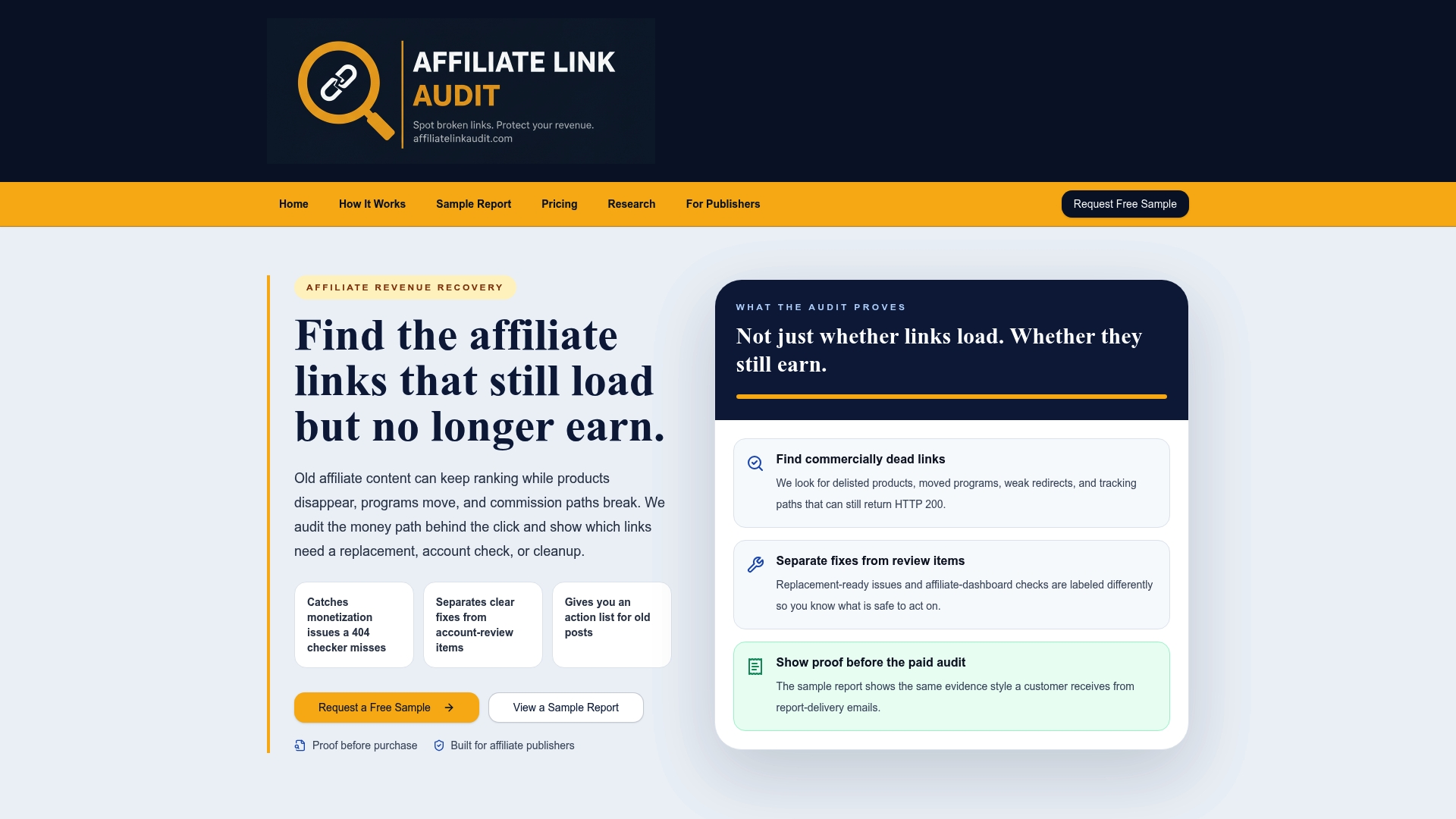
Affiliate Link Audit offers manual and semi-automated audits that detect and prioritize broken, outdated or non-earning affiliate links. Each finding is classified as Broken, Needs Attention or Healthy, with a repair action plan that separates clear fixes from items requiring review. The audit identifies; it does not repair or modify links.
The Full Audit is $97 one-off, and every audit starts with a free sample at $0, so the evidence can be reviewed before the full audit is purchased. See the sample report, the audit service for publishers, or go straight to the Full Audit.
For context on how the audit's findings are framed across publisher populations, the Affiliate Link Health Benchmark 2026 sets out the methodology and denominator.
Starting today: a one-hour version
A full inventory can wait; a useful partial one cannot. In about an hour, a site owner can do the following:
- Export the ten pages with the most organic traffic.
- List every affiliate link on them, with merchant, network and anchor text.
- Open each link and note the final destination and whether the product is available.
- Record each as Broken, Needs Attention or Healthy, with the date.
- Add a disclosure check per page.
The result is a small, accurate inventory covering the pages most likely to matter. Extend it page by page, in traffic order, using the same columns.
FAQ
How is an affiliate link inventory different from a link checker report?
A link checker report is a snapshot of status codes at one moment. An inventory is a persistent record that adds business context: merchant, network, commission type, placements, anchor text, status history and notes. A checker's output can feed an inventory, but it does not replace one, because it cannot tell which merchant a URL belongs to or why a status changed.
How often should the inventory be reviewed?
Published guidance suggests monthly checks on important links and a quarterly review of the full inventory, with a weekly crawl of active content recommended by another guide. Sites with seasonal traffic or frequent merchant changes may shorten the interval for the affected pages.
Should retired links be deleted from the inventory?
No. Retired records should be kept with a retired status, a date and the replacement, if any. The history explains past decisions and helps locate old placements that reappear, for example when an older post is restored or content is syndicated.
Can a spreadsheet serve as the inventory?
Yes. A spreadsheet with the columns listed above, a controlled status list and filters is sufficient for most small and mid-sized sites. A database or plugin becomes worthwhile when several contributors add links, or when the same link must be updated across many pages from one place.
Sources
- How to Manage Affiliate Links, MonetizeMyWebsite
- New to Your Partner Dashboard: Powerful Affiliate Tools, Shopify
- Affiliate Link Management: How to Organize, Track, and Optimize
- 4 Tips for Combating Link Rot in Affiliate Marketing, Total Retail
- Affiliate Links Frequently Asked Questions, NerdPress
- Affiliate Link Inventory and Maintenance System, Ecom Arena Hub
- How to Manage Affiliate Links: A Practical Checklist
- Warning Letter to Nichole Andrews, FTC
- Disclosures 101 for Social Media Influencers, FTC
Recommended
- Affiliate Links That Stop Earning: Test, Classify, Prioritize
- Affiliate Link Rot: 200 OK Can Hide Revenue Risk for Publishers
- Stop Revenue Leaks for Publishers: Prioritize Broken Affiliate Links
- Audit Affiliate Links Weekly to Stop Hidden Commission Losses for Publishers
This article was produced with AI assistance and reviewed for accuracy. Findings language ("Broken," "Needs Attention," "Healthy") reflects Affiliate Link Audit's evidence-based classification system.