

The recommended implementation path for GA4 affiliate tracking combines three layers: enable Enhanced Measurement for outbound clicks as a no-code baseline, create a partner-specific event (commonly named partner_click or affiliate_click) using GA4's Create Event rules, and capture inbound affiliate identifiers in a first-party cookie so they travel with purchase events as an event-scoped custom dimension. This sequence covers both directions of affiliate activity, outbound clicks to partner sites and inbound credit for resulting sales, without requiring a full custom analytics build.
TL;DR:
- Outbound click detection requires enabling Enhanced Measurement in GA4, which tracks all outbound links but needs customization to isolate affiliate traffic.
- Creating dedicated GA4 events for partner clicks and toggling them as conversions helps distinguish affiliate activity from general outbound links.
- Capturing inbound affiliate IDs in cookies and linking them to purchase events provides attribution for conversions originating from specific partners.
- Building in GTM with delegated click listeners and data layer events prevents duplicate tracking and improves affiliate link measurement accuracy.
- GA4 data often undercounts affiliate revenue compared to partner dashboards due to attribution and tracking differences, requiring regular reconciliation.
Table of Contents
- 1. Enable outbound click detection and understand what GA4 provides automatically
- 2. Create a partner click event and mark it as a conversion
- 3. Capture inbound affiliate IDs and connect them to purchase events
- 4. Build the affiliate click capture recipe in GTM
- 5. Reconcile GA4 data with partner dashboard numbers
- 6. Monitor affiliate performance through Explorations and reports
- 7. When GA4 tracking needs an affiliate link audit as a follow-up
- Author perspective: quick priorities and realistic expectations
- Verify what GA4 is actually telling you about affiliate links
- FAQ
- Sources
1. Enable outbound click detection and understand what GA4 provides automatically
Enhanced Measurement is the fastest starting point for GA4 affiliate tracking, and it requires no code changes. Inside a GA4 property, under Admin, Data Streams, selecting the web stream exposes a toggle for Enhanced Measurement; outbound clicks are one of the events it governs. Once enabled, GA4 automatically fires an outbound_click event whenever a visitor clicks a link leading away from the current domain, according to Google's own documentation on outbound click measurement. Domains configured for cross-domain measurement are excluded from this trigger, which matters if a publisher's affiliate links point to a partner subdomain already linked for cross-domain tracking.
The outbound_click event arrives with a defined parameter set, collected automatically according to Analytics Mania's guide to Enhanced Measurement:
link_url: the full destination URL the visitor clickedlink_domain: the domain portion of that URLlink_classes: any CSS classes attached to the link elementlink_id: the HTML id attribute, when presentoutbound: a boolean confirming the link left the current domain
This baseline is sufficient for publishers who only need a rough count of clicks leaving the site. It falls short for affiliate-specific reporting because every outbound link, including social icons, footer links, and unrelated external references, gets bundled into the same event. Isolating affiliate traffic from that noise requires the custom event covered in the next section.
Pro Tip: Before building anything custom, open GA4's DebugView, click an outbound link on a test page, and confirm the outbound_click event fires with link_url populated correctly. This single check saves hours of troubleshooting later.
2. Create a partner click event and mark it as a conversion
Once outbound clicks are confirmed, the next step is isolating affiliate links from general outbound traffic. GA4's Create Event feature, found under Admin, Events, lets us build a new event from an existing one by adding matching conditions. According to MeasureSchool's walkthrough on tracking affiliate links with GA4, the standard recipe starts with the base event and narrows it to a specific destination.
- Open Admin, Events, Create Event, and set the matching condition to
event_nameequalsclick. - Add a second condition targeting the affiliate domain, such as
link_urlcontainsamazon.comor whichever partner domain applies. - Name the new event something descriptive, such as
partner_clickoraffiliate_click. - Confirm that parameters copy over automatically from the source event, since Create Event preserves fields like
link_urlandlink_domainon the new event without extra configuration. - Navigate to Admin, Conversions, and toggle the new event on so affiliate clicks appear in conversion reporting.
A few points are worth checking before relying on this setup:
- Multiple affiliate networks need multiple Create Event rules, one per partner domain or domain group.
- DebugView should show both the original
clickevent and the newpartner_clickevent firing together on the same interaction, confirming the rule matched correctly. - Parameters like
link_urlandlink_domainshould appear on the new event exactly as they did on the source event; a missing parameter usually means the matching condition was too narrow.
This approach keeps affiliate click tracking inside GA4's native event system rather than requiring a parallel tagging structure, which simplifies long-term maintenance.
3. Capture inbound affiliate IDs and connect them to purchase events
Outbound click tracking tells us when someone leaves for a partner site, but affiliate marketers running their own storefronts or referral programs also need to know which partner sent the traffic that eventually converted. That requires capturing the inbound identifier, usually a query parameter such as ?aff=, ?ref=, or ?partner=, and carrying it through to the purchase event.
The standard recipe, described in TaggingDocs' guide to tracking affiliate links, separates inbound capture from outbound tracking and treats them as two distinct jobs:
- On landing, detect the query parameter and write it into a first-party cookie with a configurable expiry window, commonly 30 days.
- When a purchase occurs, read that cookie and attach its value as an
affiliate_idparameter on the purchase event. - Register
affiliate_idas an event-scoped custom dimension in GA4 Admin, under Custom Definitions, so it becomes visible in Explorations and standard reports rather than sitting unused in raw event data, a step Google's custom dimensions documentation flags as mandatory for visibility. - Set the cookie at the root domain level if subdomains are involved, and review consent requirements before writing any identifier cookie, since affiliate ID capture typically falls under marketing or analytics consent categories depending on jurisdiction.
Testing this flow means opening GTM Preview alongside GA4 DebugView, loading a page with an affiliate query parameter, confirming the cookie is written, then simulating a purchase event and verifying affiliate_id appears as a parameter on that purchase hit.
Pro Tip: Skip the item-scoped affiliation field if one exists in your data layer. Event-scoped custom dimensions avoid known incompatibilities between item-scoped metrics and purchase revenue aggregations when reporting by affiliate.
4. Build the affiliate click capture recipe in GTM
With both directions planned, the practical build happens in Google Tag Manager or a lightweight page script. The goal is a single delegated click listener that identifies affiliate links, pushes a structured event to the data layer, and avoids firing twice alongside Enhanced Measurement's own outbound_click event.
- Mark affiliate links explicitly, either with
rel="sponsored", adata-affiliateattribute, or by maintaining an allow-list of partner domains in GTM. - Attach a single delegated click listener at the document level rather than individual listeners per link, which scales better on pages with many affiliate anchors.
- On a matching click, push an
affiliate_clickevent to the data layer carryingaffiliate_network,destination_host,link_text, andpage_path, following the structure described in Analytics Mania's guide to tracking affiliate sales with GTM. - In GTM, create data layer variables for each field, build a GA4 Event tag named
affiliate_click, and map the variables as event parameters. - Set the trigger to fire on the custom event pushed by the listener, not on GTM's generic Click trigger, to avoid duplicate firing with Enhanced Measurement.
A few supporting practices keep this clean:
- Implement a short dedupe cache, such as a
recent[href]object with a 2 to 2.5 second window, so rapid repeat clicks on the same link don't inflate counts. - Clear that cache periodically on pages with large numbers of affiliate links to prevent memory buildup.
- Filter affiliate dashboards specifically to the
affiliate_clickevent rather than mixing it with GA4's nativeoutbound_click, since the two will coexist once both are active.
5. Reconcile GA4 data with partner dashboard numbers
GA4 numbers and affiliate network commission reports will rarely match exactly, and that gap is expected rather than a sign of broken tracking. Differences come from several sources at once: GA4's default attribution model, data-driven attribution, redistributes credit across touchpoints rather than awarding it entirely to the last click, which is how most affiliate networks still calculate commissions, according to Google's attribution models documentation. Cookie persistence differences, ad blockers, and consent declines also mean GA4 will often undercount affiliate-driven revenue relative to server-side partner tracking.

Partner dashboards remain the commission source of truth. GA4 should be treated as the tool for channel performance, click-to-conversion trends, and page-level diagnostics, not as a replacement ledger for what a network actually pays.
A practical reconciliation routine:
- Run a monthly variance check comparing GA4 conversion counts against network-reported conversions for the same date range.
- Log known causes for the gap (consent declines, ad blocker rates, cookie window mismatches) rather than treating every discrepancy as a tracking failure.
- Adjust GA4's lookback window or channel grouping rules if a persistent pattern suggests misattributed traffic.
- Register
affiliate_idas a custom dimension early, since reports without it cannot separate one partner's performance from another's.
6. Monitor affiliate performance through Explorations and reports
Once events and dimensions are flowing, the reporting layer is where the setup earns its value. The core fields to track are affiliate_click count, the affiliate_id dimension, destination_host, purchases, purchase_revenue, and page_path.
A few report structures cover most affiliate marketers' needs:
- A free-form Exploration crossing
affiliate_idbypurchase_revenue, filtered to the purchase event, shows which partners actually generate revenue rather than just clicks. - A funnel exploration moving from
affiliate_clicktoadd_to_carttopurchaseexposes where affiliate-driven visitors drop off. - A standing dashboard view tracking top-click pages, click-to-purchase conversion rate, and revenue per visitor from affiliate traffic flags underperforming placements quickly.
For marketers running multiple networks or needing to join GA4 data with ad spend or CRM data, exporting to BI tools such as Looker or PowerBI becomes useful once cross-platform reporting is required, a pairing that also supports more actionable EPC and ROAS views, as noted in Analytics Mania's Enhanced Measurement guide.
7. When GA4 tracking needs an affiliate link audit as a follow-up
GA4 confirms that a click happened and, with the setup above, which partner it belonged to. It cannot confirm that the destination page still sells the product, still carries the right tracking parameters, or redirects somewhere commissionable at all. A link that returns a normal 200 OK status and registers a clean outbound_click event can still lead to a discontinued product page, a generic homepage redirect, or a tracking path that no longer credits commission, none of which GA4 is built to detect.
The practical workflow is sequential:
- Use GA4's Exploration reports finding which pages generate the highest affiliate click volume.
- Run a link audit against those specific pages to verify the click path actually reaches a commissionable destination.
- Review the audit output, which separates findings into Broken, Needs Attention, and Healthy categories, as a prioritized list rather than a single pass or fail signal.
We provide this kind of audit through a sample report that shows the format before any purchase decision, alongside research on affiliate link health that gives context for how common these issues tend to be across aging content. We detect links that are commercially unhealthy, discontinued products, homepage redirects, unverifiable tracking, and provide evidence; we do not verify actual commission crediting or guarantee recovered revenue, and we do not fix links automatically. The publisher decides what to fix.
Author perspective: quick priorities and realistic expectations
The order of operations matters more than perfection on any single step. Enable Enhanced Measurement first, then build the partner_click event, then wire affiliate_id capture into purchase events, testing each stage in DebugView before moving to the next. GTM configuration and cookie capture are tasks a non-developer marketer can often handle directly; wiring affiliate_id onto the actual purchase event usually needs a developer's involvement, since it touches checkout code. Expect a persistent gap between GA4 and partner dashboard numbers no matter how carefully this is built. Use GA4 for trend direction and page-level diagnostics, and let the affiliate network's own reporting settle the commission question.
— Michael N.
Verify what GA4 is actually telling you about affiliate links
GA4 tracking answers whether a click happened and which partner it belonged to. It does not answer whether that click landed somewhere that still pays out, which is a separate question entirely. Affiliate Link Audit exists to close that gap: we evaluate whether links that still load are functioning as intended, not just whether they return a status code.
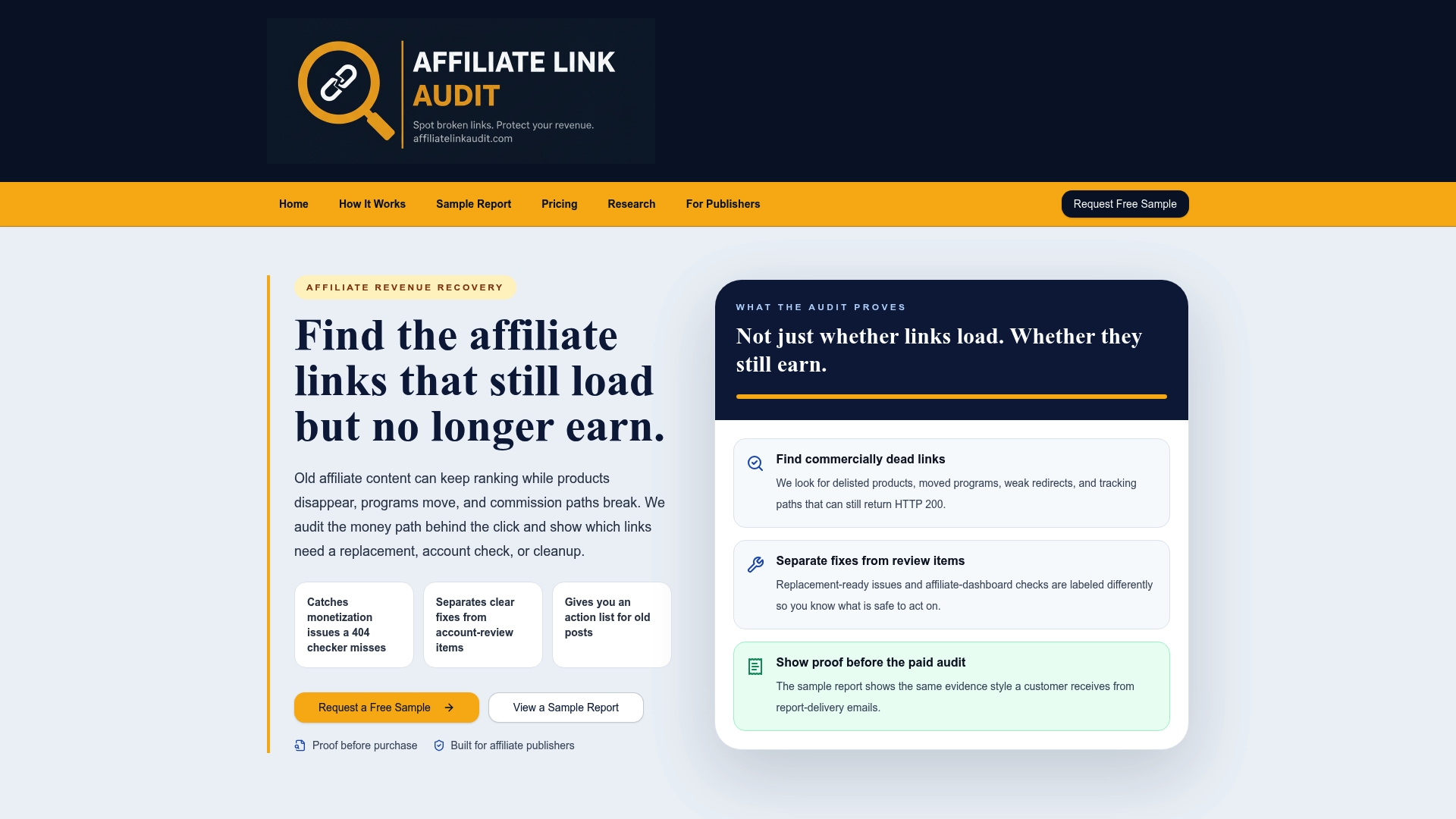
The process starts with a free sample report that shows exactly how findings get classified before any commitment. For a full prioritized repair plan across a site's affiliate content, the Full Audit service runs as a one-off purchase at $97, separating confirmed Broken links from items that need manual review so the highest-click pages identified in GA4 get checked first. We identify the issues; the fixes stay in your hands.
FAQ
How do you track your affiliate links?
Affiliate links are typically tracked in two directions: outbound clicks captured through GA4's Enhanced Measurement or a custom affiliate_click event, and inbound attribution captured by storing a partner's query parameter in a first-party cookie and attaching it to purchase events. Registering that identifier as an event-scoped custom dimension makes it visible in GA4 reports rather than sitting unused in raw event data.
What is the best affiliate tracking platform?
There is no single best platform since the right choice depends on whether a marketer needs click tracking, commission management, or both. GA4 covers click and conversion behavior well when configured with custom events and dimensions, while dedicated affiliate networks remain the commission source of truth for actual payout reporting.
What is GA4 ecommerce tracking?
GA4 ecommerce tracking refers to the set of standard events, such as view_item, add_to_cart, and purchase, that capture a visitor's path through a storefront along with revenue data. For affiliate marketers, pairing these events with an affiliate_id custom dimension lets purchase revenue be broken down by referring partner.
Is affiliate marketing still relevant in 2026?
Affiliate marketing remains an active channel, though older content frequently accumulates links that stop earning even while they continue to draw traffic. Research on affiliate link health points to this as an ongoing maintenance problem rather than a sign the channel itself has declined, which is why periodic link audits alongside tracking setup tend to matter more as content ages, not less.
Sources
- Enhanced measurement in Google Analytics 4 — Analytics Mania
- How to Track Affiliate Links with GA4 (2025) — MeasureSchool
- Track affiliate links — TaggingDocs
- Measure outbound clicks for a website — Analytics Help
Recommended
- Affiliate Link Audit for Publishers
- Affiliate Link Health Benchmark 2026
- Travel Publisher Link Health Research
This article was produced with AI assistance and reviewed for accuracy. Findings language ("Broken," "Needs Attention," "Healthy") reflects Affiliate Link Audit's evidence-based classification system.